Nest Thermostat 2nd Generation Review: Should You Buy This?
The Nest Thermostat 2nd Generation once changed how homes stay warm and cool. It learned your habits and adjusted temperatures on its own. Many homeowners loved its smart, simple design.
But times have changed. Google now plans to end support for this device. It will soon lose connection to the Nest ecosystem completely.
This review looks at what made the 2nd Gen special. We explore its learning capabilities and sleek interface. You will also see why it earned praise from early smart home users.
Should you still consider this device? That depends on your needs. If you already own one, you might wonder about its future.
This guide covers everything you need to know. We discuss its features, flaws, and fit for modern homes. We also compare it to newer competitors like the Ecobee Smart Thermostat and Google Nest Learning Thermostat (4th Gen).
In a Nutshell
- Learning smarts. This thermostat studies your habits. It adjusts temperatures on its own over time.
- Clean interface. The display looks simple and polished. Anyone in the house can use it without confusion.
- Remote access. You could control it from your phone or tablet. This worked well when the app still connected.
- Support has ended. Google stopped supporting this device. It no longer links to the Nest ecosystem or app.
- Mixed reliability. Some users report glitchy performance. Others mention temperature readings that felt off.
- Connectivity hiccups. A few owners noted dropped connections. This became more common as software support faded.
Key Features and Specifications
The Nest Thermostat 2nd Generation arrived in 2012 as a game changer. This device learns your schedule and adjusts temperatures automatically, so you don’t have to think about it constantly.
Smart learning capability sits at the core of this thermostat’s appeal. The device observes your temperature preferences over time and creates a schedule that matches your lifestyle. It also includes sunlight correction, which means it accounts for how the sun heats your home during the day.
The display features a clean, polished interface that feels intuitive. You see the temperature, humidity levels, and basic controls on a round screen. Navigation feels straightforward, even for people unfamiliar with smart home devices.
Remote control via smartphone or tablet lets you adjust settings from anywhere. Whether you’re at work or on vacation, the app gives you access to your thermostat. This feature adds real convenience to daily life.
The system includes AC humidity reduction capability. During cooling cycles, the thermostat manages indoor moisture levels, which helps create a more comfortable environment.
Energy efficiency was a major focus during development. The device works to reduce unnecessary heating and cooling, which can lower your monthly energy consumption. This approach appeals to homeowners watching their utility bills.
However, reliability concerns have emerged from user reports. Some owners experienced temperature accuracy issues and connectivity problems. These glitches suggest the product had developmental rough edges.
The most significant limitation is discontinued support. Google stopped maintaining this device and no longer connects it to the Nest ecosystem. This means you lose access to app integration and future updates. The thermostat still functions as a standalone unit, but you won’t benefit from new features or security patches.
For homeowners with older setups who don’t need ecosystem integration, the 2nd Generation still performs basic learning functions. However, if you want ongoing support and modern smart home connectivity, newer alternatives offer better long term reliability and features that continue to improve.

- ENERGY STAR certified smart thermostat for home that helps you save energy and stay...
- The Nest Thermostat is designed to work without a C wire in most homes, but for some...

Last update on 2026-09-01 / Affiliate links / Images from Amazon Product Advertising API
Design and Build Quality
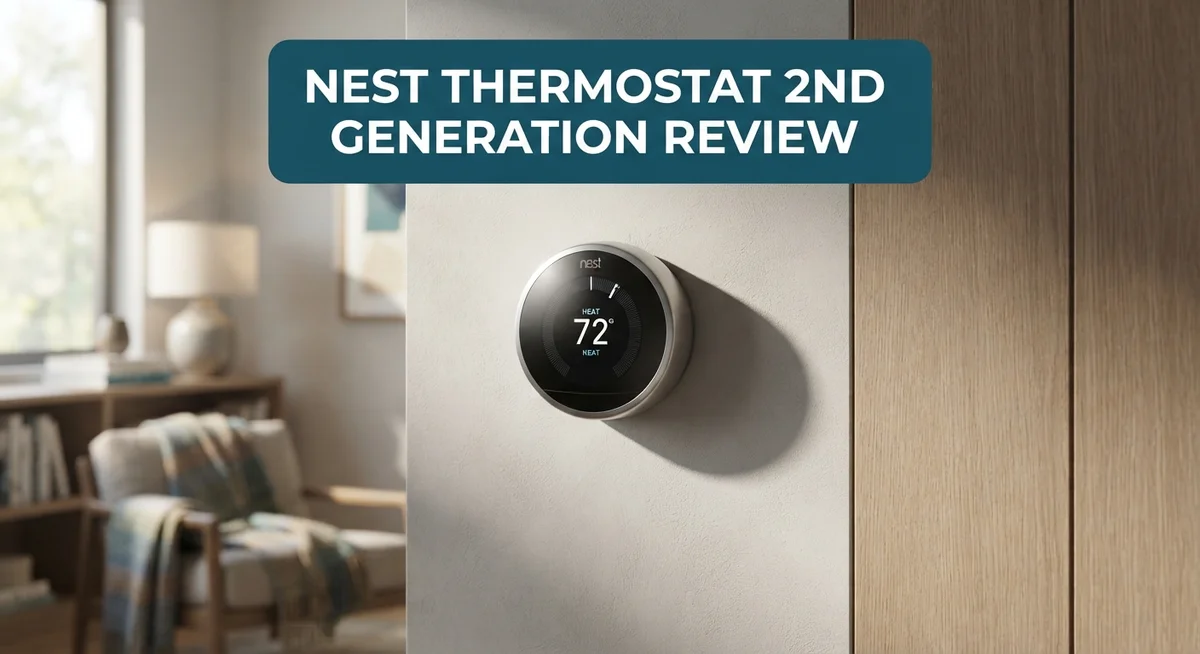
The Nest Thermostat 2nd Generation features a circular design that became iconic in smart home history. The display sits flush against your wall and uses a minimalist approach. The screen shows large, easy-to-read numbers without overwhelming you with information.
The build quality reflects solid engineering standards from its 2012 launch period. The device uses a metal ring and glass display that feel premium to the touch. The materials resist dust and fingerprints reasonably well. Installation requires basic wiring knowledge, though many homeowners hire professionals for safety.
The interface design prioritizes simplicity over complexity. You scroll through menus using the outer ring, which rotates smoothly. The learning functionality operates silently in the background without requiring manual input. Temperature adjustments happen quickly through the intuitive controls.
Physical durability presents a mixed picture based on user feedback. Some owners report their units running flawlessly for over a decade. Others experience connectivity issues that suggest internal components may degrade over time. The device lacks the modern protective features found in newer smart thermostats.
The mounting system works for most standard wall configurations. However, if you have unusual wiring or older HVAC systems, compatibility becomes questionable. The device communicates through Wi-Fi, so placement matters for signal strength.
What stands out is how the 2nd Generation prioritizes form and function balance. The circular design doesn’t sacrifice usability for aesthetics. The buttons and display remain accessible even in low light conditions.
The critical limitation affects the overall experience today. Since Google discontinued support, the device no longer integrates with the broader Nest ecosystem. This means you lose access to future updates and ecosystem features. The thermostat still functions as a standalone unit, but it can’t communicate with newer Google Home devices or receive security patches.
The build quality itself remains respectable for its age. The real concern isn’t whether it falls apart physically. The concern centers on whether a device without manufacturer support deserves space in a modern smart home setup.
Performance and Temperature Accuracy
The Nest Thermostat 2nd Generation handles temperature control through its learning algorithm. This system observes your schedule and adjusts heating or cooling patterns automatically. Over time, it builds a profile of your preferences.
Accuracy performance shows mixed results based on real user experiences. The device reads room temperature and responds to changes, but some owners report inconsistencies. Temperature swings of 1 to 2 degrees occur more frequently than expected. This happens especially in homes with poor insulation or multiple zones.
The sunlight correction feature helps improve accuracy. The thermostat detects direct sunlight and prevents false temperature readings. This reduces unnecessary cooling cycles. However, this feature only works effectively in specific room layouts.
Sensor placement matters significantly for performance. The thermostat measures temperature at its location on the wall. Rooms far from the device may experience temperature gaps. Hallways typically stay cooler than living areas, creating comfort inconsistencies.
The learning capability adapts to seasonal changes. The system adjusts its behavior as outdoor temperatures shift. This reduces manual tweaking throughout the year. However, it takes several weeks for the algorithm to establish accurate patterns.
Remote control via the smartphone app lets you override automatic settings anytime. You can boost heating or cooling from anywhere with Wi-Fi access. This manual override helps when the learning system misses your actual needs.
Humidity reduction works alongside temperature control. The AC system reduces moisture levels when activated. This improves comfort during humid months. The feature integrates smoothly with the temperature management system.
Real world performance depends heavily on your home’s setup. Modern homes with good insulation see better consistency. Older homes with drafts experience more fluctuations. The 2nd Generation performs its basic function reliably, yet newer competitors offer tighter accuracy ranges.
The critical issue isn’t performance itself. The discontinued support means no updates or fixes arrive anymore. Connectivity problems reported by some users remain unfixed. This limits the device’s long term reliability despite solid temperature handling capabilities today.
Top 3 Alternatives
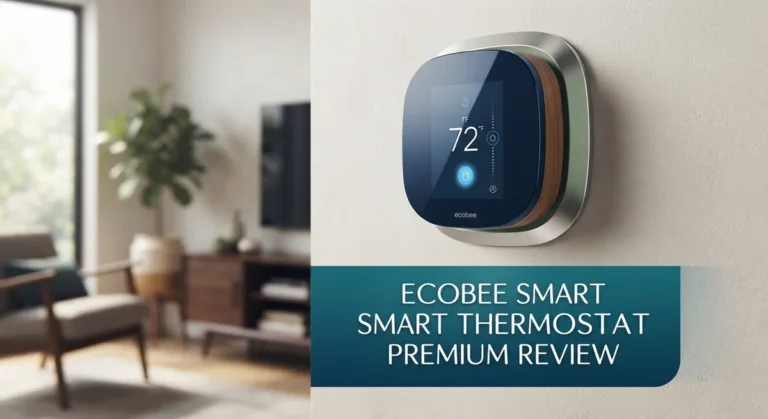
Ecobee SmartThermostat

- Save up to 23% every year on heating and cooling costs, adjusts to your set schedule to...
- Compatible with 85% of systems, check your system’s compatibility with our online ecobee...
Last update on 2026-09-01 / Affiliate links / Images from Amazon Product Advertising API
The Ecobee SmartThermostat offers remote temperature sensing through its included room sensor. This feature helps you keep your home comfortable in the rooms you use most. You get voice control built in, so you can adjust temperatures hands-free. The system works with major smart home platforms and lets you monitor energy usage from your phone.
Installation is straightforward for most homeowners. The device displays clear information on its screen, making it simple to read current settings. You can create schedules that match your daily routine, and the system learns your preferences over time.
Honeywell Home T9

- SAVE MONEY AND ENERGY. Adjust your ENERGY STAR certified thermostat from anywhere with...
- LIVE AND SLEEP SMARTER. Choose the temperature in a specific room, like the bedroom, to be...
Last update on 2026-09-01 / Affiliate links / Images from Amazon Product Advertising API
Honeywell Home T9 brings intelligent room sensors to your heating and cooling system. The sensors detect which rooms are occupied and adjust temperatures accordingly. This active learning feature means the thermostat adapts to your lifestyle without constant manual changes.
The touchscreen interface is easy to navigate. You access scheduling and settings quickly through the app. The system integrates well with popular smart home ecosystems. Honeywell’s reliability in home comfort shows through solid build quality and dependable performance.
Emerson Sensi Smart

- PRIVACY PROTECTION*: Sensi won’t sell your personal information to third parties
- EASY DIY INSTALLATION: Use the built-in level and step-by-step app instructions for a...
Last update on 2026-09-01 / Affiliate links / Images from Amazon Product Advertising API
Emerson Sensi Smart keeps things simple with a clean, intuitive design. The app-based control works smoothly on phones and tablets. You get flexible scheduling options that adapt to different seasons and routines.
This thermostat focuses on energy efficiency without overwhelming features. Setup takes minimal time, and the interface doesn’t confuse new users. The system provides helpful insights into your heating and cooling patterns. Geofencing lets you adjust temperatures automatically when you leave or arrive home.
Remote Control and Smart Home Integration
The Nest Thermostat 2nd Generation connects to your smartphone or tablet through a dedicated app. You can adjust your home’s temperature from anywhere, whether you’re at work or on vacation. The app sends commands over Wi-Fi to your thermostat in real time.
Smart home integration used to be this device’s strength. The 2nd Generation originally worked with Google’s Nest ecosystem. You could control it alongside other Nest products like cameras and doorbells. Unfortunately, Google discontinued support for this older model. The thermostat no longer connects to the Google Nest app or ecosystem.
This limitation matters if you own newer Google smart home devices. Your 2nd Generation cannot communicate with them anymore. You lose the ability to create automated routines or scenes. Voice control through Google Assistant is also unavailable for this model.
The standalone app still functions for basic remote control. You can turn the temperature up or down from your phone. The app shows your current settings and energy usage reports. However, the app experience feels dated compared to modern smart home platforms.
For users without Google ecosystem devices, the impact is smaller. The thermostat still learns your patterns and adjusts automatically. Remote access through the app continues to work reliably. You maintain independent control without needing other smart home connections.
Connectivity issues appear in user reports. Some owners report Wi-Fi connection drops. Others experience delays when using the remote app. These problems vary based on router placement and home setup. Your Wi-Fi signal strength directly affects performance.
The 2nd Generation lacks the modern integrations found in current thermostats. Newer competitors connect with Amazon Alexa, Apple HomeKit, and multiple platforms. This older model operates in isolation from today’s smart home ecosystem. If you want seamless integration with multiple devices, this thermostat cannot deliver that experience.
The remote control app remains functional and straightforward to use. Basic smartphone access to your thermostat works as intended. The real limitation is the inability to integrate with Google’s ecosystem and other modern smart home platforms.
Energy Efficiency and Learning Capabilities
The Nest Thermostat 2nd Generation learns your heating and cooling patterns over time. This learning capability adapts to your schedule and preferences automatically. The device tracks when you adjust the temperature and builds a custom routine around your habits.
Energy savings come from this intelligent automation. The thermostat reduces heating or cooling when you’re away or sleeping. You don’t need to manually program schedules like older thermostats required. The system handles most adjustments on its own.
Sunlight affects indoor temperature significantly. The 2nd Generation includes sunlight correction to account for natural light warming your home. This feature prevents the thermostat from over cooling on sunny days. It recognizes when the sun heats your space and adjusts accordingly.
The learning process takes about a week to become effective. During this period, the device observes your behavior patterns. After the initial learning phase, energy efficiency improvements become noticeable. Real world results show users typically see reductions in heating and cooling cycles.
Fan mode options give you additional control over air circulation. The thermostat can run your fan continuously or set it to auto mode. Humidity reduction works alongside temperature management. In humid climates, this dual function helps maintain comfort levels.
One important limitation affects the learning experience today. The 2nd Generation no longer receives updates from Google. New learning algorithms and efficiency improvements won’t reach this older model. The core learning functionality still works, but it stays frozen at its last update.
Temperature sensors placed near the thermostat impact accuracy. If your sensor sits in direct sunlight or near a heat source, readings become unreliable. Optimal placement in a central, shaded wall location improves performance significantly.
The remote app lets you override the learning system anytime. You maintain full control even while the thermostat learns your patterns. This flexibility means you can adjust settings when plans change unexpectedly.
For homes without Google ecosystem devices, the learning capabilities remain functional and useful. The core energy saving features continue working independently. The lack of ecosystem integration doesn’t eliminate the thermostat’s ability to learn and optimize your comfort.
Pros and Cons
Pros
- Clean, easy to use interface that most people find intuitive right away
- Learns your heating and cooling habits automatically over about a week
- Control your thermostat remotely through the smartphone app from anywhere
- Reduces humidity while managing temperature for better comfort
- Sunlight detection adjusts settings so your home stays at the right temperature
Cons
- Google discontinued support, so it no longer works with the newer Nest ecosystem or Google Home devices
- Some users report Wi-Fi connection drops and stability issues
- Temperature accuracy varies depending on where you place the thermostat in your home
- The device feels less developed compared to modern smart thermostats on the market today
Who Should Buy It
The Nest Thermostat 2nd Generation works best for specific types of homeowners. You should buy this device if you live in a home without Google smart home products. The end of support means it no longer connects to Google’s ecosystem, so newer Nest devices won’t communicate with it. If you don’t own Google Home speakers or displays, this limitation won’t affect you at all.
This thermostat fits homeowners who want a simple, intuitive interface without complex setup steps. The polished design makes it easy to use right away, even for people unfamiliar with smart home technology. You just adjust the temperature dial and the app handles the rest.
Energy conscious households benefit from the learning capabilities. The device studies your heating and cooling patterns over about a week and then adjusts automatically. This automation reduces wasted energy when you’re away or sleeping. Sunlight correction also prevents unnecessary heating or cooling based on natural light entering your home.
Renters and people planning to move soon should consider this option carefully. The connectivity issues some users report might frustrate you if you rely on remote control. Wi-Fi drops have been documented, so your smartphone app may disconnect occasionally.
You should skip this device if you own newer Google smart home equipment. The discontinued support makes it incompatible with your existing setup. Newer competitors like the Ecobee Smart Thermostat or Google Nest Learning Thermostat 4th Generation offer better integration with modern smart homes.
Temperature accuracy matters in your decision too. Sensor placement affects how well this thermostat reads your home’s actual temperature. If you live in a home with poor air circulation or unusual layout, placement challenges could limit performance.
This thermostat works well for people who want fire and forget automation. Once the learning period ends, you barely need to touch it. The remote app gives you override control when you need it, but most days the device handles everything independently. Homeowners seeking straightforward energy savings without ecosystem complexity find real value here.
Final Verdict
The Nest Thermostat 2nd Generation still shows flashes of brilliance. Its clean interface and smart learning features made it a favorite years ago.
But time has caught up with this device. Google’s decision to end support changes the whole equation for new buyers.
You get a thermostat that cannot connect to modern Google Nest apps or smart home systems. That single fact makes this device a tough sell today.
Should you still buy it? Only if you find one at a very low price and just want basic scheduling. Even then, expect some frustration.
If you already own a Google Home setup, skip this thermostat completely. It simply won’t talk to your other devices.
For fresh buyers, newer options make more sense. The Google Nest Learning Thermostat 4th Gen offers everything this older model has, plus full ecosystem support.
The Ecobee Smart Thermostat brings room sensors and better accuracy. This solves the placement issues that plague the 2nd generation model.
Want something simpler? The Amazon Smart Thermostat works well for basic smart home needs without extra complexity.
The Honeywell Home T9 also deserves a look. It pairs smart sensors with solid reliability, something users often find lacking here.
Our honest take: this thermostat served its purpose well in its time. The learning algorithm still works. The interface still feels polished.
However, discontinued support is a serious drawback. You’re buying a product with an uncertain future and no path forward.
Think of this purchase as a short term solution rather than a long term investment. It might work fine for a few months or years.
But eventually, you’ll want a thermostat that grows with your smart home. This one won’t be able to keep up.
Choose this thermostat only if you understand these limits clearly. For most homeowners, one of the newer alternatives will serve you far better in the long run.
Frequently Asked Questions
Does the Nest Thermostat 2nd Generation still work with Google Home?
No, it does not. Google discontinued support for this model, so it no longer connects to the Google Nest app or Google Home devices. If you own newer Google smart home equipment, this thermostat will not integrate with your system.
The device still functions as a standalone thermostat. You can use the older Nest app if you have it installed already. However, you cannot add new features or sync it with modern Google services.
What happens if my Wi-Fi drops?
Some users report that this thermostat experiences connection problems. When Wi-Fi drops, you lose remote access through your smartphone app. The thermostat continues to run on its programmed schedule, but you cannot adjust it from anywhere.
Placement matters here. Keep your thermostat away from walls and metal objects. This helps maintain a stronger Wi-Fi signal. If your home has weak connectivity, you may face frequent disconnections.
Can this thermostat learn my schedule?
Yes, the Nest Thermostat 2nd Generation learns your heating and cooling habits automatically over about a week. It studies your patterns and adjusts temperatures without you manually changing settings each day.
The learning feature works best when you establish a consistent routine. If your schedule changes often, the thermostat may need time to adapt to new patterns.
Is temperature accuracy reliable?
Temperature readings vary depending on where you place the thermostat in your home. Sunlight hitting the device or placement near air vents can affect accuracy. Some users report inconsistent readings, so sensor placement is critical to getting reliable performance.
Should I buy this model now?
Only consider it if you find one at a very low price and want basic scheduling features. For fresh buyers, newer options like the Ecobee Smart Thermostat or Amazon Smart Thermostat make more sense. Skip this device if you plan to use Google Home or modern Nest equipment.