Vivint Smart Thermostat Review 2026: Is It Worth Your Money?
Smart thermostats have changed how homeowners manage indoor comfort. The Vivint Smart Thermostat, also known as the Element Thermostat, blends home automation with energy savings in one sleek device.
If you already use Vivint for home security, this thermostat slots right into your setup. But is it the right pick for your house in 2026?
This review breaks down every feature, benefit, and drawback so you can decide with confidence. Keep reading to learn how this Z-Wave device performs in real homes.
Key Takeaways
- The Vivint Smart Thermostat works best as part of a full Vivint Smart Home system, not as a standalone device.
- It uses Z-Wave Plus technology to connect with the Vivint SkyControl panel and other smart devices.
- The thermostat supports geofencing, automatic scheduling, and remote control through the Vivint app.
- It fits most HVAC systems including conventional, heat pump, and up to two stages of heating and cooling.
- Installation is easiest with a professional Vivint technician, though DIY is possible for handy users.
- Power options include 4 AA batteries or a 24VAC wired connection from your HVAC system.
What Is the Vivint Smart Thermostat?
The Vivint Smart Thermostat is a Wi-Fi connected climate control device made by Vivint Smart Home. It is officially called the Element Thermostat (V-SCT-200). The device replaces your old wall thermostat and gives you remote control over heating and cooling.
It uses Z-Wave Plus wireless technology to talk to your Vivint hub. This means it does not work as a fully standalone Wi-Fi thermostat like Nest or Ecobee. You need a Vivint security panel to get the most out of it.
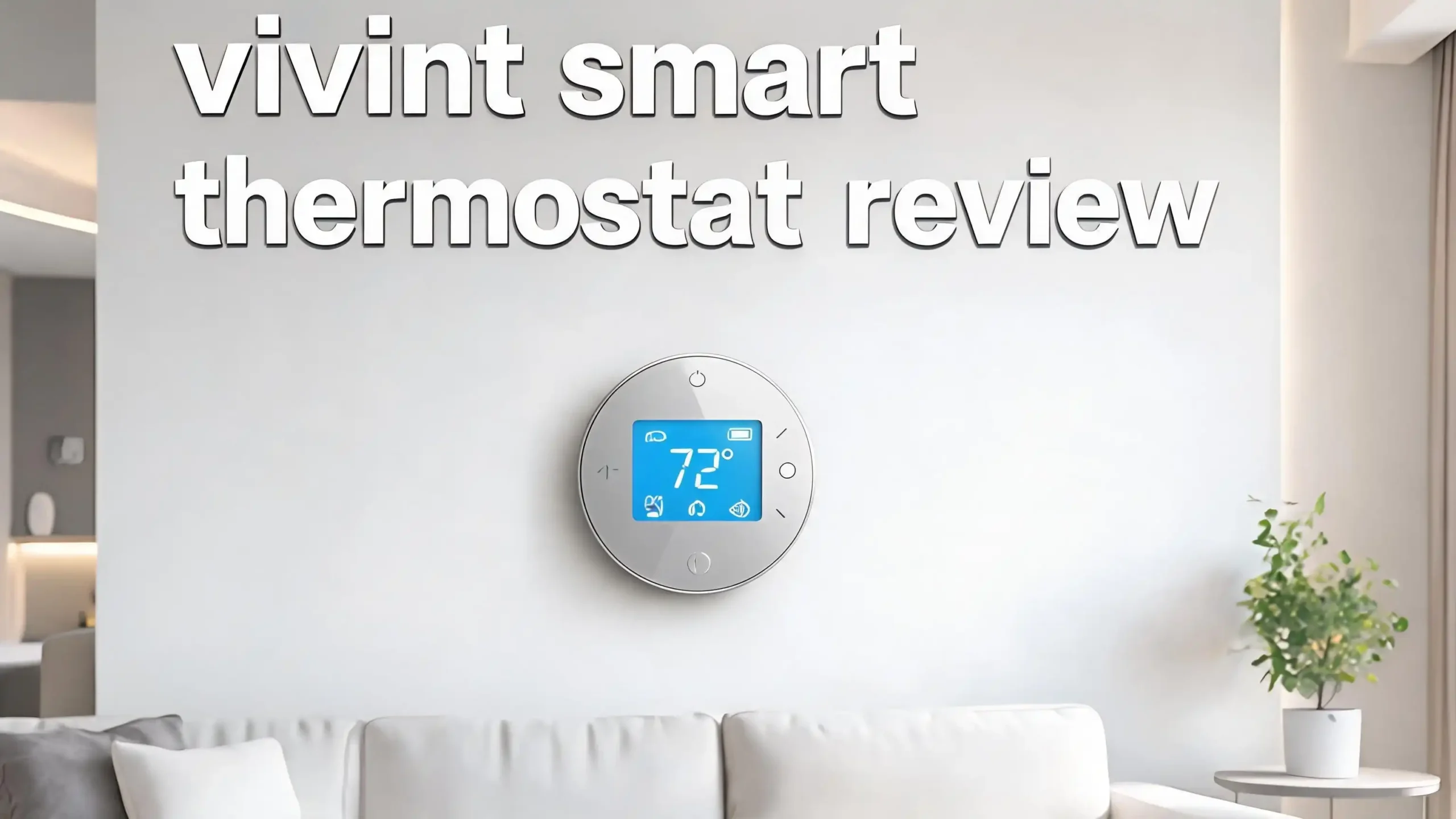
The thermostat has a clean white design with a small color screen. It blends into modern homes without standing out. Vivint built it to feel simple, with just a few buttons and a clear display.

- WORKS WITH ROOM SENSORS: Compatible with Sensi Room Sensors to balance temperatures...
- PRIVACY PROTECTION: Sensi won’t sell your personal information to third parties

Key Features of the Vivint Smart Thermostat
The Element Thermostat packs several smart features that make daily use easy. The geofencing option senses when you leave the house and adjusts the temperature on its own. When you head back home, it warms up or cools down before you walk in.
The thermostat also offers automatic scheduling. It learns your routine over a few days and builds a custom schedule. You can override it any time using the Vivint app or the touchscreen.
Other useful features include voice control through Amazon Alexa and Google Assistant, real time energy reports, and integration with Vivint cameras, locks, and lights. You can build automation rules like “lower the heat when the front door locks at night.”
Design and Build Quality
The Vivint Smart Thermostat measures 115mm by 115mm and weighs about 10.1 ounces. It has a soft white finish and a small LCD screen in the center. The look is minimal and modern.
The build feels sturdy and lightweight. The plastic shell does not creak or flex. Buttons sit on the side rather than the front, which keeps the face clean. The display shows the current temperature, mode, and schedule clearly.
Compared to the Nest Learning Thermostat with its premium metal ring, the Vivint feels more basic. But it still looks better than most old style thermostats. It fits well in living rooms, hallways, and bedrooms without drawing attention.
HVAC Compatibility
The Element Thermostat works with most home HVAC systems sold in North America. It supports conventional setups and heat pump systems. It handles up to 2 stages of heating and 2 stages of cooling, which covers nearly every modern furnace and AC unit.
It does not need a C-wire in every case, since you can run it on 4 AA batteries. This flexibility helps in older homes where rewiring is hard. However, wired power gives the most reliable performance for heavy use.
Before you buy, check your current thermostat wires. You should see labels like R, W, Y, G, and possibly C. The Vivint app and support team can also help you confirm if your system matches.
Top 3 Alternatives for Vivint Smart Thermostat
If the Vivint Smart Thermostat does not fit your needs, these three alternatives offer strong features and wide compatibility. They work as standalone devices without a paid security plan.

- Customizable Display: A sleek 4.3” display delivers enhanced visibility with the option...
- Precision Comfort & Air Quality: Comfort is more than just the perfect temperature...

- PRIVACY PROTECTION*: Sensi won’t sell your personal information to third parties
- EASY DIY INSTALLATION: Use the built-in level, illuminated easy-click terminals and...

- Save up to 23% every year on heating and cooling costs, adjusts to your set schedule to...
- Compatible with 85% of systems, check your system’s compatibility with our online ecobee...
Installation Process
You have two ways to install the Vivint Smart Thermostat. The first is professional installation by a Vivint technician. This is the most common path since Vivint sells the device as part of a smart home package. The tech handles wiring, pairing, and setup in about 30 minutes.
The second option is DIY installation. You turn off power at the breaker, remove your old thermostat, take a photo of the wires, and connect them to the Element base plate. After mounting the unit, you press the side button to pair it with your Vivint hub.
The official Vivint support site has a step by step guide and video. Most users with basic tools can finish the job in under an hour. Still, a wiring mistake can damage your HVAC, so go slow and double check.
Vivint App Experience
The Vivint Smart Home app is the main way you control the thermostat from your phone. The app shows current temperature, target temperature, mode, and schedule on one clean screen. You can change settings with a few taps.
The app also handles your security cameras, smart locks, lights, and alarms. Having one app for everything is a real strength of the Vivint system. You do not need to juggle five different apps to run your home.
The app works on iOS and Android and gets regular updates. Push notifications alert you about extreme temperatures, system errors, or schedule changes. Most users find the layout simple, though the app focuses more on security than HVAC settings.
Energy Savings and Efficiency
The Vivint Smart Thermostat helps cut energy bills through smart automation. The geofencing feature alone can save 10 to 15 percent on heating and cooling costs by not running the system when nobody is home.
The thermostat shows weekly and monthly energy reports inside the app. You can see how many hours your HVAC ran and spot trends. This data helps you adjust schedules to save more.
It also pairs with other Vivint sensors. For example, a door sensor can tell the thermostat to pause cooling when a window opens. These small actions add up to real savings over a full year. Most homeowners report a noticeable drop on their utility bills within the first few months.
Smart Home Integration
The Element Thermostat shines as part of a full Vivint smart home. It links with Vivint cameras, smart locks, garage door controllers, and lights through the central panel. You can build custom automations called Smart Actions.
For voice control, the thermostat supports Amazon Alexa and Google Assistant. You can say “Alexa, set the thermostat to 70 degrees” and it responds. It does not work with Apple HomeKit, which is a clear drawback for iPhone heavy households.
It does not support IFTTT or third party platforms like SmartThings out of the box. If you want a thermostat that plays well with many ecosystems, an Ecobee or Nest may suit you better. Vivint keeps things inside its own walled garden.
Price and Value
The Vivint Smart Thermostat costs around 169 dollars when bought as part of a Vivint package. You can sometimes find used or open box units online for 30 to 60 dollars, but new ones from Vivint include warranty and support.
You also need a Vivint Smart Home plan, which adds monthly fees. Plans start near 30 dollars per month and include monitoring, app access, and equipment support. Without a plan, the thermostat loses most of its smart features.
Compared to the Nest 4th Gen at about 280 dollars or the Ecobee Premium near 250 dollars, the Vivint hardware is cheaper. But the monthly fee makes the long term cost higher than buying a standalone smart thermostat once.
Pros of the Vivint Smart Thermostat
The Vivint Smart Thermostat has many strong points. The deep integration with Vivint security and home automation is the biggest win. Everything runs from one app and one panel.
The geofencing and auto scheduling features work well in the background. You set them once and the thermostat handles the rest. The clean design fits modern homes without looking out of place.
Professional installation gives peace of mind for users who do not want to mess with wires. The 24/7 Vivint support team helps if anything goes wrong. Battery and wired power options add flexibility for older houses without a C-wire.
Cons of the Vivint Smart Thermostat
The biggest drawback is that the thermostat needs a Vivint system to reach full power. As a standalone device, it does very little compared to Nest or Ecobee. You also pay a monthly fee that adds up over years.
It lacks support for Apple HomeKit, IFTTT, and SmartThings. Users with mixed smart home setups will feel limited. The display is also smaller and less colorful than premium rivals.
Another concern is that buying replacement units outside of Vivint can be tricky. The device is mostly sold through Vivint installers, not big retailers. Resale value is low because of the dependency on Vivint hubs.
Real User Reviews
Online feedback for the Vivint Smart Thermostat is mixed but mostly positive. Users on Reddit praise its clean look and easy app control. Many say the geofencing works well and saves money each month.
Some complaints focus on the limited HVAC controls compared to Ecobee or Nest. A few users mention that scheduling options feel basic. Others note that the thermostat sometimes loses Z-Wave connection and needs a reset.
Customer support reviews vary by region. Most users get fast help when something breaks, especially with professional install plans. SafeWise and Security.org both rate the thermostat as a solid pick for Vivint users but a weak pick for non Vivint homes.
Who Should Buy the Vivint Smart Thermostat
This thermostat is the right choice for current Vivint customers. If you already pay for Vivint security and want one app for everything, the Element fits perfectly. The energy savings and automation will pay for the device over time.
It is also a good pick for new homeowners who want a full smart home system installed by pros. Vivint handles security, cameras, locks, and climate in one visit. You skip the headache of mixing brands.
It is not the best pick for DIY smart home fans, Apple HomeKit users, or people who want a thermostat without monthly fees. In those cases, look at Nest, Ecobee, or Amazon Smart Thermostat instead.
Final Verdict
The Vivint Smart Thermostat is a smart, well built device that shines inside the Vivint ecosystem. It saves energy, looks clean, and works with the rest of your Vivint smart home through one easy app. The geofencing and auto scheduling features deliver real value.
However, it is not a standalone winner. Without a Vivint plan, it loses most of its smart powers. Other thermostats give more freedom and ecosystem support for the same or lower long term cost.
If you already use Vivint or plan to, the Element Thermostat is a clear yes. If you want a flexible smart thermostat that works with any platform, look at the alternatives in this review. Match the device to your needs and you will be happy for years.
Frequently Asked Questions
Does the Vivint Smart Thermostat work without a Vivint subscription?
The thermostat needs a Vivint hub to use smart features like the app, geofencing, and voice control. Without a Vivint plan, it works only as a basic manual thermostat on the wall.
Is the Vivint Smart Thermostat compatible with Alexa and Google Home?
Yes. The Vivint Smart Thermostat supports Amazon Alexa and Google Assistant voice commands. It does not support Apple HomeKit at this time.
Can I install the Vivint Smart Thermostat myself?
Yes, DIY install is possible if you follow the Vivint guide. Most users prefer professional install from a Vivint technician, which is included in many smart home packages.
Does the Vivint Smart Thermostat need a C-wire?
No, a C-wire is not required. The thermostat runs on 4 AA batteries or 24VAC wired power. Wired power is more reliable for daily use, especially in busy homes.
How much does the Vivint Smart Thermostat cost in 2026?
The hardware costs around 169 dollars new. You also need a Vivint Smart Home plan that starts near 30 dollars per month for full smart features and support.
Can the Vivint Smart Thermostat save money on energy bills?
Yes. With geofencing, auto scheduling, and integration with door sensors, most users save 10 to 15 percent on heating and cooling costs each year.
What HVAC systems does the Vivint Smart Thermostat support?
It works with conventional and heat pump systems. It handles up to 2 stages of heating and 2 stages of cooling, which covers most modern furnaces and AC units in North America.

Last update on 2026-05-03 / Affiliate links / Images from Amazon Product Advertising API