
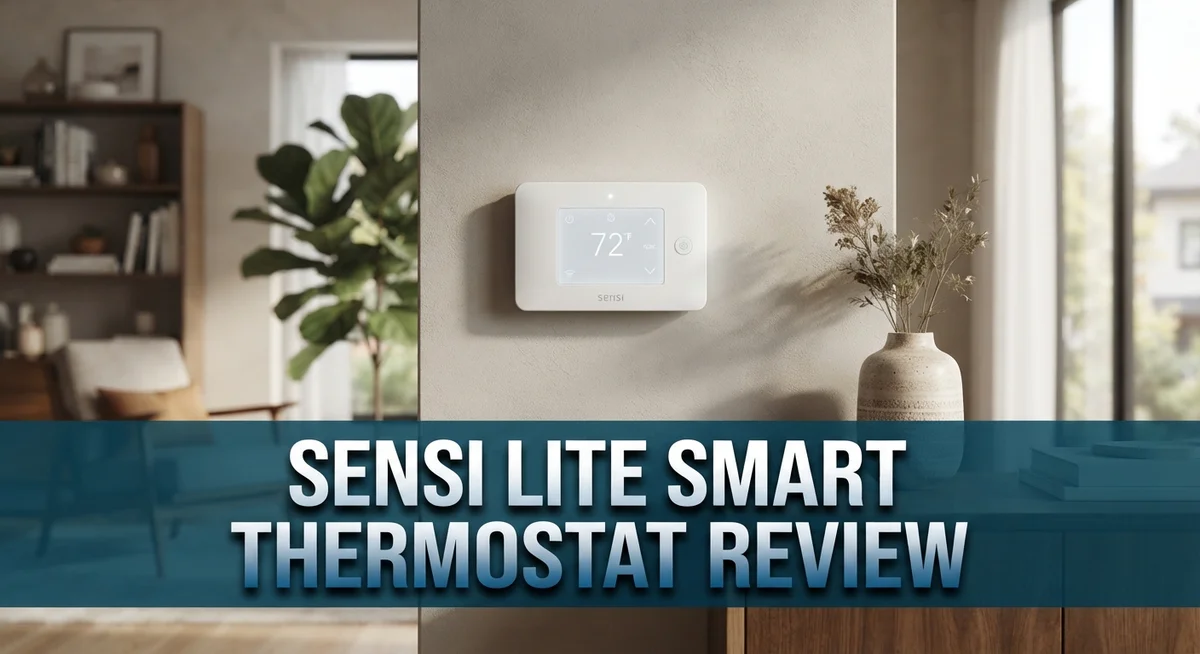
Sensi Lite Smart Thermostat Review 2026: Worth The Hype?
Do you want a smart thermostat without the tech headache? The Sensi Lite Smart Thermostat might be your answer.
This device promises easy setup and simple daily use. It skips the confusing menus found on other smart thermostats.
Sensi Lite tries to solve this problem. It offers WiFi control, geofencing, and smart scheduling in one small package.
In this review, we will look closely at what Sensi Lite offers. We will explore its features, installation process, and daily performance.
By the end, you will know if this thermostat fits your home. Let’s dive into what makes the Sensi Lite worth considering.
In a Nutshell
- Easy setup: You can install this thermostat yourself. No professional help is needed for most homes.
- Smart features included: Geofencing adjusts your temperature based on location. The thermostat learns when you leave and return home.
- Clean app experience: The mobile app feels simple to use. You will not feel confused like with some other brands.
- Remote monitoring: You can check your system usage from anywhere. This helps you spot problems early.
- Some tradeoffs exist: You cannot set schedules directly on the unit. All programming happens through the app instead.
- Batteries required: This model runs on batteries. It does not connect to a common wire like some competitors.
Key Features and Compatibility
The Sensi Lite Smart Thermostat brings together several features that make it stand out for homeowners seeking straightforward climate control. Let’s explore what makes this device work and how it connects to your existing setup.
Wireless Connectivity and Smart Home Integration
This thermostat connects to your home WiFi network, allowing you to control temperature from your phone or tablet. The device works seamlessly with major voice assistants. You can give commands to Alexa or Google Assistant to adjust your home’s temperature hands free. Samsung SmartThings users also benefit from direct integration, meaning you can monitor and control this thermostat alongside other smart devices in your home.
Installation Flexibility
One of the biggest advantages is that no common wire is required for most heating and cooling systems. This flexibility opens doors for homes where running additional wiring would be difficult or expensive. The thermostat relies on batteries for power, which eliminates the need for hardwiring in many cases. This battery powered approach makes DIY installation realistic for most homeowners.
Key Scheduling and Location Features
The 7 day scheduling system lets you create different temperature settings for each day of the week. You can set unique schedules for weekdays and weekends without hassle. Geofencing technology adds another layer of convenience by automatically adjusting your temperature when you leave or arrive home. This feature works by detecting your smartphone’s location through the mobile app.
System Monitoring and Maintenance
The app provides real time visibility into your heating and cooling system usage. You receive maintenance reminders that alert you when filters need changing or when the system requires attention. This proactive approach helps extend your equipment’s lifespan and keeps energy consumption in check.
Energy Star Certification
The device carries ENERGY STAR certification, meaning it meets strict efficiency standards set by the EPA. This certification signals that the thermostat helps reduce energy waste without sacrificing comfort or control.

- COMMON WIRE REQUIREMENTS: Designed to work without a C-wire in most homes, but for some...
- EASY DIY INSTALLATION: Do it yourself fast with a built-in level and simple step-by-step...
Last update on 2026-10-22 / Affiliate links / Images from Amazon Product Advertising API
Installation and Setup
Installation of the Sensi Lite takes about 30 minutes for most homeowners. You do not need an electrician or technical expertise. The process involves turning off power at your breaker, removing your old thermostat, and connecting wires to the Sensi Lite’s terminal block.
The biggest advantage is no common wire requirement. Most homes lack a common wire, which powers many smart thermostats. The Sensi Lite works around this limitation by using batteries instead. This opens up compatibility with older HVAC systems that newer smart models cannot handle.
The app walks you through each installation step with clear photos and instructions. You identify your system type (heating only, cooling only, or heat pump), and the app confirms which wires you need. This visual guidance reduces confusion compared to reading a manual.
One consideration: the thermostat uses push terminals rather than push-in connectors. You insert wires into holes and tighten a screw to secure them. Some users prefer push-in connectors for speed, but screw terminals actually hold wires more reliably over time.
Setup continues after physical installation. Download the mobile app, create an account, and connect the thermostat to your WiFi network. The app then prompts you to name your device and select your smart home platform. Integration with Alexa, Google Assistant, or Samsung SmartThings takes just a few taps.
Battery installation happens during the physical setup. Two AA batteries power the device. The app alerts you when battery levels drop, so you know when to replace them.
First time users appreciate how straightforward everything feels. The app never asks unnecessary questions or shows confusing technical jargon. You get your thermostat running and connected within an hour from start to finish.
One note: you cannot program schedules directly on the thermostat’s small display screen. All scheduling happens through the mobile app. This keeps the device simple but means you always need your phone nearby for adjustments during setup.
App Interface and Smart Controls
The Sensi Lite Smart Thermostat delivers a straightforward mobile app experience. The interface avoids confusing menus and technical jargon that frustrate users.
You control temperature settings directly from your smartphone or tablet. The app lets you adjust your home’s climate from anywhere, whether you’re at work or traveling. Real time adjustments happen instantly across your WiFi connection.
Scheduling flexibility stands out as a major feature. You can set different temperature preferences for each day of the week. Morning, afternoon, and evening routines each get their own settings. This 7 day system adapts to your lifestyle without requiring constant manual changes.
Geofencing technology adds another layer of convenience. The app detects when you leave home and can automatically lower your heating or cooling. When you approach your house, it warms or cools your space back to your preferred temperature. This hands off approach saves energy without sacrificing comfort.
The app provides system usage monitoring in real time. You see exactly how often your heating and cooling runs each day. This visibility helps you understand your home’s climate patterns and energy consumption.
Maintenance reminders keep your system running smoothly. The app alerts you when filters need changing or when professional service might help. These notifications prevent system problems before they become expensive.
Voice control integration works with Alexa and Google Assistant. You can adjust temperature by simply speaking commands. This feature suits people who prefer hands free control throughout their day.
One important note: you cannot program schedules directly on the thermostat itself. All scheduling happens through the mobile app. This design choice keeps the physical unit simple but requires smartphone access for setup.
The app walks new users through connection steps with clear instructions. First time setup typically takes just a few minutes after physical installation. The entire experience feels intuitive compared to other smart thermostat platforms.
Overall, the app interface prioritizes simplicity and functionality. Users appreciate the lack of unnecessary complexity. The controls feel responsive and the features work as expected without frustrating delays or confusing options.
Top 3 Alternatives
Ecobee SmartThermostat

- Security, savings and comfort, all in one device – Your security base station and...
- Total coverage for doors and windows - Get alerted when a door or window is opened for...

Last update on 2026-10-22 / Affiliate links / Images from Amazon Product Advertising API
The Ecobee SmartThermostat works with voice assistants and learns your schedule over time. You get a built-in speaker for hands-free control. This model includes remote sensors that detect temperature in different rooms. The system adjusts heating and cooling based on which rooms you occupy most.
Setup takes about 30 minutes with the mobile app. You can monitor energy usage and receive alerts on your phone. The interface displays clear information about your home’s comfort levels.
Nest Learning Thermostat

- Nest’s smartest, most advanced thermostat yet, the Google Nest Learning Thermostat (4th...
- Savings you can count on: The Nest Learning Thermostat can help save up to 31% on heating...
Last update on 2026-10-22 / Affiliate links / Images from Amazon Product Advertising API
Nest uses artificial intelligence to understand your habits and preferences. It learns your routine automatically without manual programming. The sleek circular display shows current temperature and humidity at a glance.
You control it from anywhere using the Nest app. The thermostat detects when you leave home and switches to energy-saving mode. It works with Google Assistant for voice commands. The device also shows energy reports so you understand your consumption patterns.
Honeywell Home T9

- SAVE MONEY AND ENERGY. Adjust your ENERGY STAR certified thermostat from anywhere with...
- LIVE AND SLEEP SMARTER. Choose the temperature in a specific room, like the bedroom, to be...
Last update on 2026-10-22 / Affiliate links / Images from Amazon Product Advertising API
The Honeywell Home T9 features remote sensors placed around your house. These sensors measure temperature in multiple zones simultaneously. You can prioritize comfort in specific rooms rather than treating your whole home the same way.
The T9 connects to your smartphone for remote adjustments. It integrates with popular smart home platforms and voice assistants. The system provides weekly energy reports and recommendations for saving money. Installation works with most existing heating and cooling systems without needing professional help.
Energy Efficiency and Scheduling
The Sensi Lite excels at helping you save energy through smart scheduling and automation. The 7-day flexible schedule lets you set different temperatures for each day of the week, so your system doesn’t work harder than it needs to.
You can create separate schedules for weekdays and weekends. This means your heating or cooling runs efficiently when you’re home and adjusts when you’re away. Geofencing takes this a step further by automatically detecting when you leave or arrive home, adjusting your thermostat without any manual input needed.
Real-time system monitoring shows you exactly how much your heating and cooling system runs. The app displays your usage patterns, helping you spot opportunities to save more energy. You see which times of day consume the most power, making it easy to adjust your schedule for maximum savings.
Maintenance reminders keep your system clean and efficient. A well-maintained unit runs better and uses less energy. The app alerts you when filters need changing or when your system needs attention, preventing energy waste from a clogged or struggling unit.
One thing to know: you cannot program schedules directly on the thermostat itself. All scheduling happens through the mobile app. This actually simplifies the device’s physical design, but it means you always need your phone to make changes. Once your schedule is set, the thermostat runs automatically without requiring your phone nearby.
The app interface makes energy management simple. You don’t need technical skills to understand your system’s performance. The straightforward design shows your current settings, upcoming schedule changes, and usage data in one clear view.
Battery operation means there are no wiring concerns for power, but you’ll need to replace batteries periodically. This doesn’t affect energy savings since the thermostat itself uses minimal power. Remote access lets you adjust temperature from anywhere, so you can lower settings if you realize you forgot to adjust before leaving home.
Together, these features work to reduce wasted energy throughout your day. Smart scheduling combined with geofencing and monitoring creates a system that learns your patterns and adapts automatically.
Remote Access and Geofencing
The Sensi Lite Smart Thermostat puts temperature control in your pocket wherever you go. Remote access lets you adjust your home’s heating and cooling from your phone, tablet, or any internet-connected device. This means you can change settings while at work, on vacation, or anywhere else.
Geofencing capability is where the Sensi Lite really shines for convenience. Your phone’s location triggers automatic temperature adjustments as you move. When you leave home, the thermostat can shift to away mode. When you approach your house, it switches back to your preferred comfort settings. This happens without you lifting a finger.
The app shows you real-time system usage data. You see exactly when your heating or cooling runs throughout the day. This visibility helps you spot patterns and identify ways to use less energy. The information appears clear and easy to understand.
Setting up remote access is straightforward. After your initial installation and app connection, remote features activate automatically. You don’t need extra steps or complex configuration. The app interface keeps everything simple and accessible for all skill levels.
One key advantage is system usage monitoring. You can track how often your system cycles and for how long. This data helps you understand your home’s climate control needs. You might discover opportunities to adjust schedules and save energy.
The geofencing feature works seamlessly with your smartphone’s location services. It learns your routine over time and adapts accordingly. No manual intervention is required once you set your preferences.
Battery operation means your thermostat stays connected even during power outages. This ensures you maintain remote access and geofencing features without interruption. You’ll need to replace batteries periodically, but this is a minor trade-off for the reliability and flexibility you gain.
Together, remote access and geofencing transform how you manage your home’s temperature. You gain control, convenience, and insight into your system’s performance. These features work quietly in the background to keep your home comfortable while you focus on other things.
Pros and Cons
Pros
- DIY installation takes just minutes without needing a professional electrician
- The app interface feels intuitive and doesn’t confuse you with cryptic menus
- 7 day flexible scheduling lets you set different temperatures for weekdays and weekends
- Geofencing automatically adjusts your temperature when you leave or arrive home
- Works seamlessly with Alexa, Google Assistant, and Samsung SmartThings for voice commands
Cons
- You cannot program schedules directly on the thermostat itself; you must use the app
- Standard wire connectors require manual insertion instead of push in connectors for easier setup
- Battery powered operation means you’ll need to replace batteries periodically rather than drawing power from your HVAC system
Who Should Buy It
The Sensi Lite Smart Thermostat works best for homeowners who want simple temperature control without complexity. You should buy this thermostat if you prefer straightforward setup and don’t need advanced features.
Renters and DIY enthusiasts will love this model. Installation takes minutes, and you won’t need to hire an electrician. The battery operation means you can install it anywhere without worrying about power lines.
This thermostat suits people who spend time away from home. The geofencing feature automatically adjusts your temperature when you leave or arrive. Your phone becomes your remote control for adjusting settings from anywhere.
If you have smart home devices, this thermostat integrates well. It works with Alexa, Google Assistant, and Samsung SmartThings. Voice commands make temperature adjustments hands free.
Budget conscious homeowners benefit from this model’s energy saving features. You get real time system monitoring to see exactly how your heating and cooling runs. Maintenance reminders help keep your system efficient and prevent costly repairs.
This thermostat is ideal for people who want app based control. The interface feels intuitive and won’t confuse you with complicated menus. You can create different schedules for weekdays and weekends without visiting the unit itself.
However, skip this model if you need on device programming. You must use the app to set schedules. This means you cannot adjust temperatures directly from the thermostat screen.
Tech savvy users who embrace mobile control will appreciate this approach. Younger homeowners and smartphone dependent people find the app experience refreshing.
Avoid this thermostat if you dislike battery maintenance. You’ll need to replace batteries periodically. This isn’t ideal for people who want completely hands off operation.
The Sensi Lite works best for people seeking an uncomplicated smart thermostat. You get essential features without overwhelming options. If you value ease of use, smartphone control, and quick installation, this model deserves your attention. It delivers what it promises without unnecessary complexity.
Final Verdict
The Sensi Lite Smart Thermostat proves that simple technology can still deliver smart results. It skips fancy screens and complicated menus. Instead, it focuses on what matters most: reliable temperature control through your phone.
This thermostat earns its ENERGY STAR certification for good reason. It helps your HVAC system run smarter, not harder. Over time, that means less strain on your equipment and more consistent comfort.
Compared to the Google Nest Thermostat or Ecobee 3 Lite, the Sensi Lite takes a different path. It does not chase flashy features. It focuses on dependable performance and easy setup instead.
If you compare it to its siblings, like the Sensi Smart Thermostat or Sensi Touch 2, the Lite version keeps things stripped down. You get the core smart features without extra bells and whistles.
This makes the Sensi Lite a smart pick for anyone who wants smart heating and cooling without a steep learning curve. It respects your time and your intelligence. No manual is needed to figure out basic functions.
The lack of on device programming might bother some users. But most people today rely on their phones anyway. This thermostat simply matches that modern habit.
Missing push in connectors could slow down installation slightly. Still, most DIYers manage the process without much trouble. A screwdriver and a little patience go a long way.
Overall, the Sensi Lite Smart Thermostat delivers exactly what it promises. It gives you smart control, easy installation, and solid compatibility with major smart home platforms. It does not try to be everything to everyone.
For renters, first time smart home users, or anyone who wants straightforward temperature management, this thermostat checks the right boxes. It skips unnecessary complexity and sticks to what works.
If you want a thermostat that respects simplicity while still delivering smart features, the Sensi Lite deserves a spot on your shortlist. It proves that smart does not always mean complicated.
Frequently Asked Questions
Does the Sensi Lite require a common wire to work?
No, you don’t need a common wire for most heating and cooling systems. This makes installation easier if your home lacks this wire. However, the thermostat does require batteries to operate, so you’ll need to replace them periodically.
Can I control the thermostat from my phone?
Yes, the app lets you adjust temperatures remotely and monitor your system usage anytime. You can also set up geofencing so the thermostat automatically changes temperature when you leave or arrive home. The app interface stays simple and straightforward.
What smart home systems does this work with?
The Sensi Lite connects to Alexa, Google Assistant, and Samsung SmartThings. You can use voice commands to adjust your temperature without touching the thermostat. This makes it a good fit if you already own smart speakers or other connected devices.
Can I program schedules directly on the thermostat?
No, you must use the mobile app to create schedules. The thermostat itself doesn’t have on device programming options. This approach keeps the physical unit simple, but it means you always need your phone nearby to make changes.
How does installation work for DIY setup?
The Sensi Lite uses standard wire connectors that you insert manually instead of push in connectors. Most homeowners can complete installation without professional help. The process takes about 30 minutes if your existing thermostat wiring is accessible and labeled.